
Forms that do the work.
New client intake with custom intake forms that automatically create contacts, trigger tasks, and start workflows based on how clients answer.
Book a Demo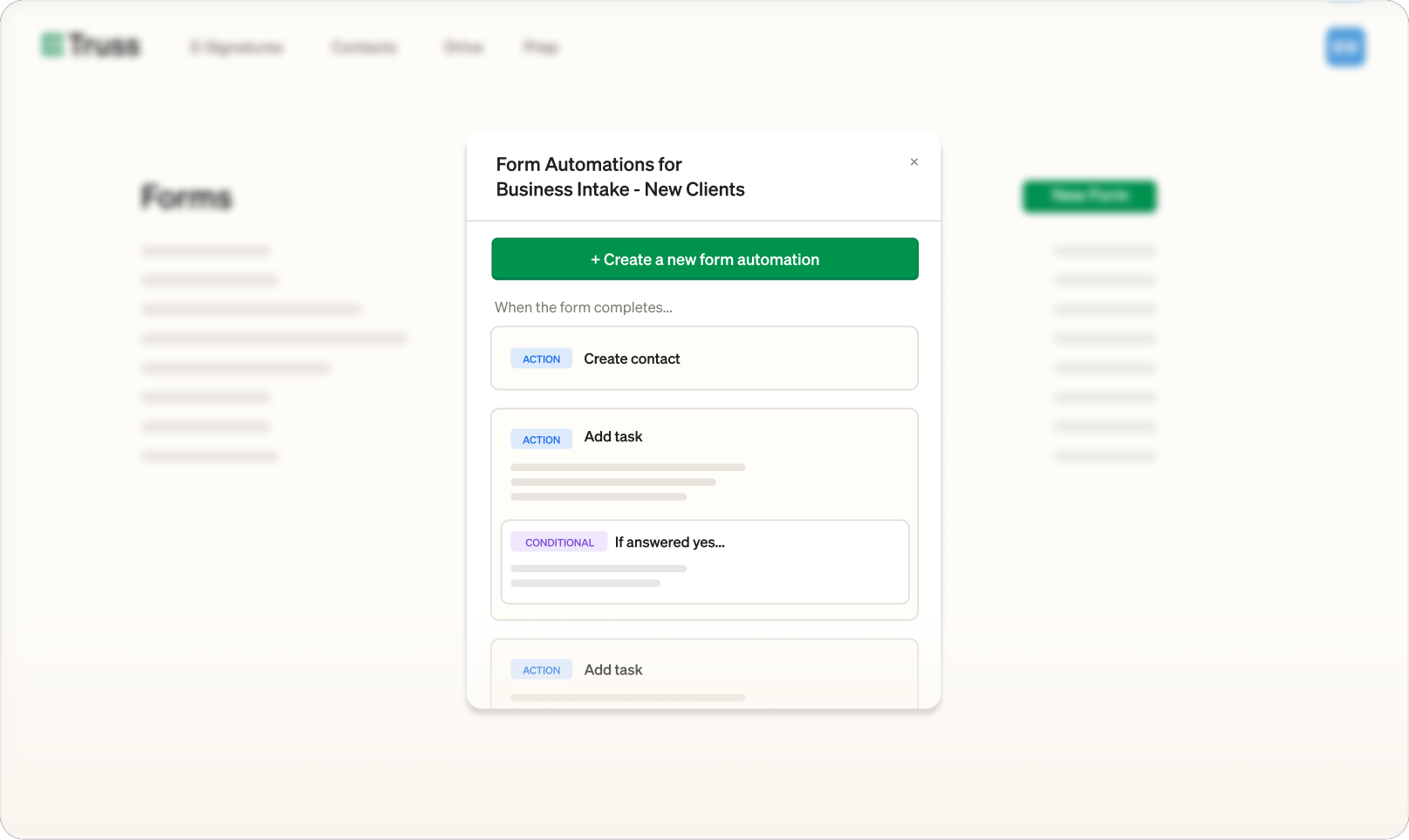
New client intake with custom intake forms that automatically create contacts, trigger tasks, and start workflows based on how clients answer.
Book a Demo
Send a client a form. Their answers create the right tasks, contacts, and engagement letters automatically. No manual data entry, no missed steps.
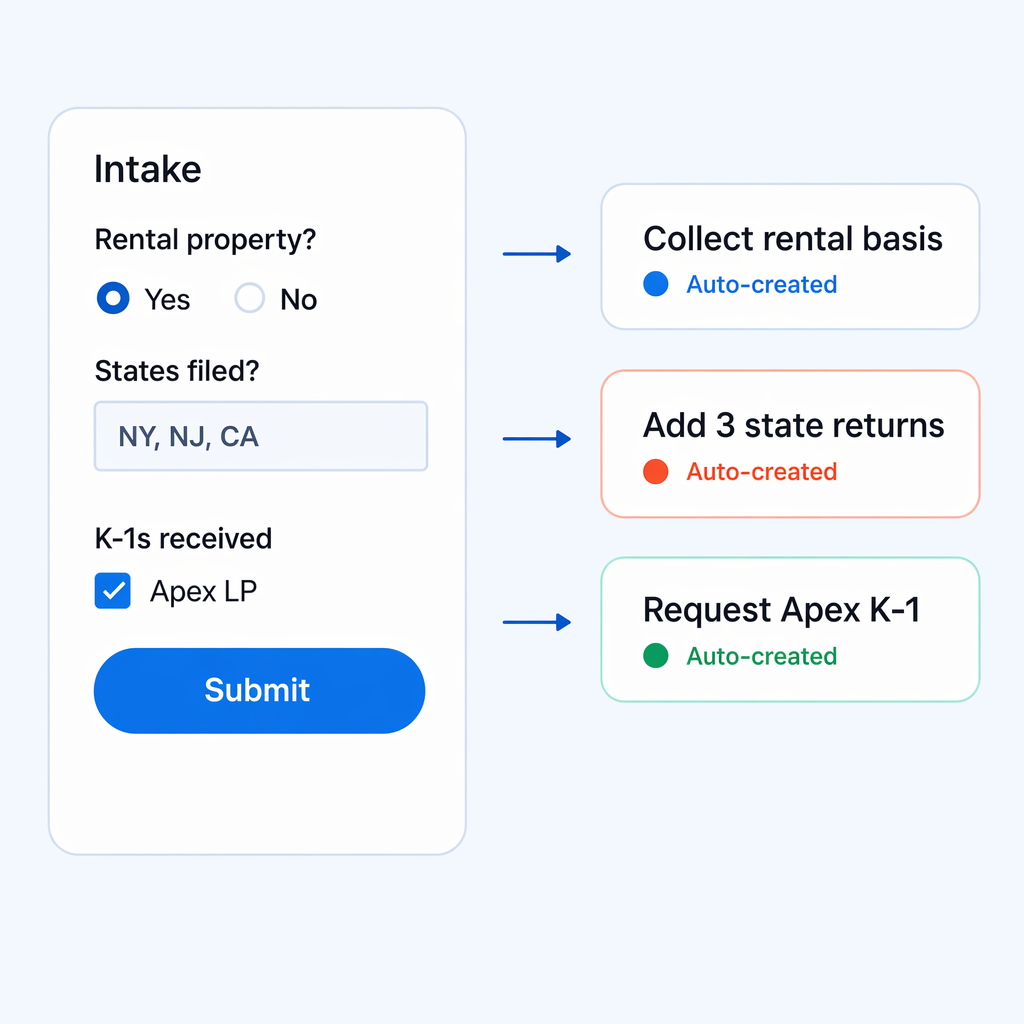
Every question can be wired to an action or conditional logic: add or remove a task, spin up a worksheet, generate a new form, etc.
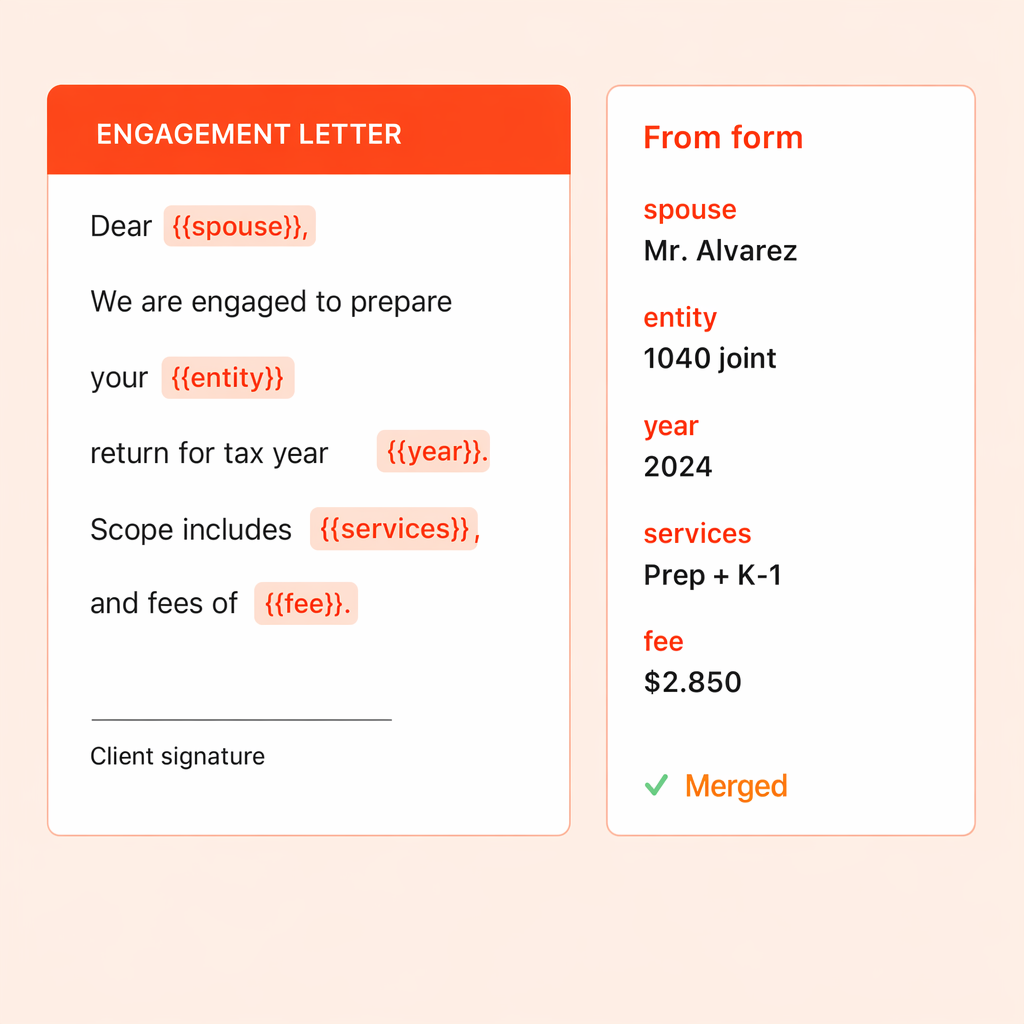
Tie a form automation to an engagement-letter template and the letter merges every field the client just answered — entity name, service scope, spouse, company. They finish the form and the signing letter hits their inbox while they're still at their laptop.
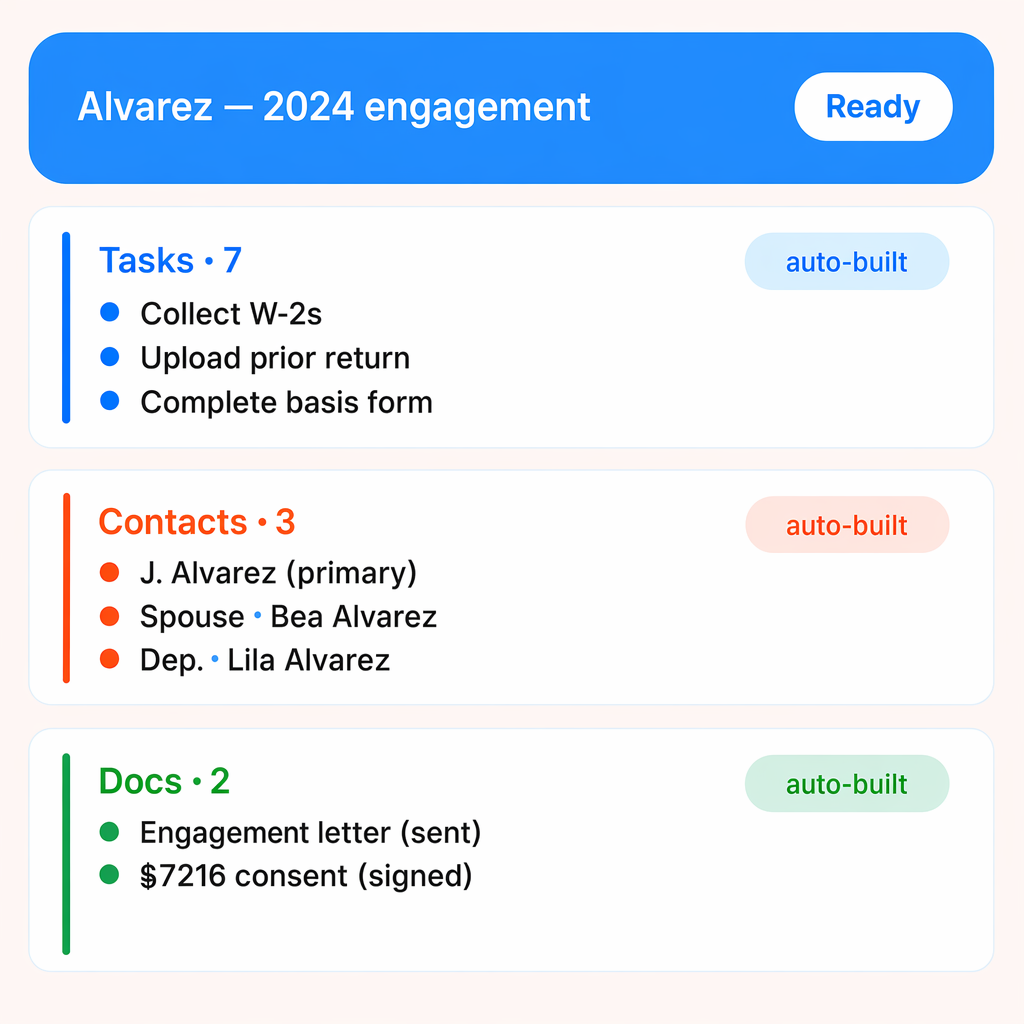
After the organizer processes, with a single click, a draft project is created, the household or fiduciary entity, the linked contacts (spouse, dependents, trustees, partners, etc.) and attaches the relevant task list.
"Truss has boosted our productivity by automating routine tasks and requests, and the team customizes features to make our processes easier."

Michelle DeFalco, Tax Senior Manager
Robert Lee & Associates, LLP.
Based on a client's answer, Truss can automatically create tasks, add engagement letters for signing, launch follow-up forms, or generate worksheets. You can trigger on yes/no answers, multiple choice selections, or have automations that always run regardless of the response.
No. Public forms are accessible via a secure link with no login required. You can share the link on your website, in an email, or in your email signature. For existing clients, forms can also be assigned as tasks within their project.
Forms live inside projects as tasks. When a client submits, the response is attached as a PDF, automations create downstream tasks, and contacts are created or updated with extracted data. Everything feeds directly into your intake, prep, and delivery workflow.
See for yourself. Fill out the form below to schedule some time with us.